SQL Server Configuration Manager报Cannot connect to WMI provider错误
Cannot connect to WMI provider. You do not have permission or the server is unreachable. Note that you can only manage SQL Server 2005 and later servers with SQL Server Configuration Manager.无效类[0x80041010]
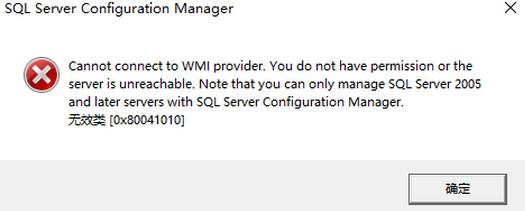
---Cannot connect to WMI provider. You do not have permission or the server is unreachable
https://docs.microsoft.com/en-us/troubleshoot/sql/tools/error-message-when-you-open-configuration-manager
To work around this problem, open a command prompt, type the following command, and then press ENTER:
mofcomp "%programfiles(x86)%\Microsoft SQL Server\*number*\Shared\sqlmgmproviderxpsp2up.mof"
Note For this command to succeed, the Sqlmgmproviderxpsp2up.mof file must be present in the %programfiles(x86)%\Microsoft SQL Server\*number*\Shared folder.
Microsoft SQL Server 2019--150
Microsoft SQL Server 2017--140
Microsoft SQL Server 2016--130
Microsoft SQL Server 2014--120
Microsoft SQL Server 2012--110
Microsoft SQL Server 2008 R2--100
Microsoft SQL Server 2008--100
Microsoft SQL Server 2005--90
对于sql server 2022:
mofcomp "%programfiles(x86)%\Microsoft SQL Server\160\Shared\sqlmgmprovider.mof"

CANN开发者社区旨在汇聚广大开发者,围绕CANN架构重构、算子开发、部署应用优化等核心方向,展开深度交流与思想碰撞,携手共同促进CANN开放生态突破!
更多推荐


 4
4 0
0- 0


 已为社区贡献1条内容

所有评论(0)